04A — Form 3A: End-to-End Walkthrough
This is a narrative, screen-by-screen walk through of one real Form 3A — the Notification for the Appointment of an Appointed Representative — as it travels from a representative's first keystroke all the way to MAS approval. Every screenshot below is a live, full-page capture of the current regnIFY UI (the emerald/amber rebrand of Regnify).
Where the reference pages (04 — Form 3A, 05 — Declaration Lifecycle, 06 — Workflow Approvals) describe each screen in isolation, this page follows one declaration through every hand-off, explaining for each step what the user does, what is required and why (tied to the MAS rules), and where AI helps.
The cast and the journey
We follow a new appointment at DBS Group Holdings Ltd (declaration #9279):
| # | Actor (demo login) | Role | What they do | Resulting status |
|---|---|---|---|---|
| 1 | Ahmad bin Ibrahim (dbs_rep5) |
Representative (FI_USER) |
Fills and submits the Form 3A | Draft → Pending Review |
| 2 | Ng Kai Wen (dbs_sup) |
Supervisor (reporting line) | Reviews & approves | Pending Review (step 1 ✓) |
| 3 | Chen Yu Xuan (dbs_mgr) |
Manager (reporting line) | Reviews & approves | Pending Review (step 2 ✓) |
| 4 | Goh Yi Hao (dbs_ceo) |
CEO (senior management) | Gives the firm's senior-management sign-off before MAS | Pending Review (step 3 ✓) |
| 5 | Wong Jun Hao (dbs_comp) |
Compliance (COMP) |
Completes the Fit & Proper Certification, marks the form complete, gives final approval, then lodges with MAS | Form Completed → Cleared for MAS → Submitted to MAS |
| 6 | MAS (acted by SYS_ADMIN) |
The Authority | Records the regulatory decision | MAS Approved |
Status flow: Draft → Pending Review → Form Completed → Cleared for MAS Submission → Submitted to MAS (MAS Pending Review) → MAS Approved
Who owns which sections? The official MAS form is co-authored. The representative completes the factual sections (identity, activities, supporting evidence). The Principal — through its HR / Compliance officer — makes the Fit & Proper Certification and the Director's Declaration; in law the certification is the Principal's (SFA s99H(1)(b)), never the individual's. regnIFY enforces this split: the certification sections are read-only for the representative and only unlock for the approver after submission.
A note on the approval chain. regnIFY builds the chain from the representative's reporting line, appends the firm's CEO for senior-management sign-off, then the firm's Compliance officer as the final approver. For Ahmad that chain is Supervisor → Manager → CEO → Compliance. Because the steps are strictly sequential and the declaration only becomes Cleared for MAS on the final (Compliance) approval, MAS submission is gated behind the CEO's sign-off — Compliance cannot act until the CEO has approved. The Compliance officer is also the party who signs the Fit & Proper Certification, so their step covers both certification and final lodgement.
Part 1 — Representative: create & submit
Step 1.1 — Sign in
Every user signs in through Keycloak single sign-on (OIDC + PKCE). Roles travel in the token and decide what each user can see and do.
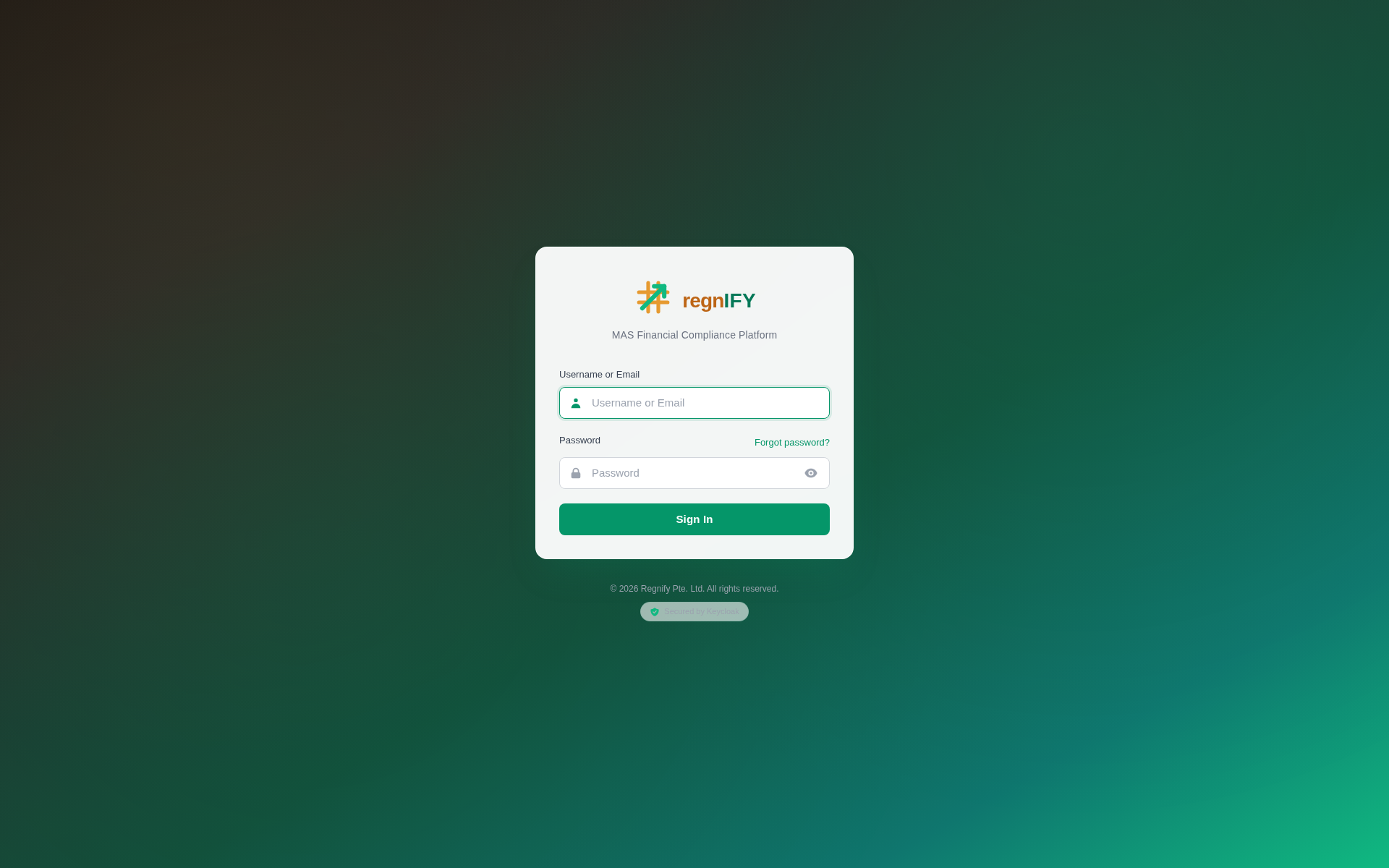 The regnIFY login (two-tone emerald/amber wordmark, "MAS Financial Compliance Platform"). All demo users share the password
 Regnify@2026; Ahmad logs in as dbs_rep5.
Step 1.2 — Open a new Form 3A
From the dashboard the representative clicks Form 3A → New Declaration. The form opens as a single scrollable page with a sticky section table-of-contents that mirrors the official MAS Form 3A v2.4 (revised 30/05/2025) — the dark-navy section banners, the act-citation header, and the section order all match the paper form, so what the rep fills in is what MAS receives. (It is not a multi-step wizard; the form auto-saves every 30 seconds.)
 The left rail is the section table of contents; the right "Collaboration" rail shows who fills what and who will review this before you even submit. Notice the Fit & Proper Certification and Declaration / Confirmation sections are marked for HR & Compliance and are locked (padlock) for the representative.
🤖 AI in this step — Singpass / MyInfo pre-fill. Rather than re-typing identity details, the rep can connect Singpass once on their profile; regnIFY then pre-fills the identity backbone (name, NRIC, date of birth, e-mail, mobile) and keeps a per-declaration snapshot for audit. The "Upload first, save typing" / Singpass card surfaces this.
Step 1.3 — Fill the representative's sections
The rep completes only the sections they own. The minimum the system requires before submission — and the reason for each — is:
| Section | What's required | Why (MAS basis) |
|---|---|---|
| General Information | Principal's name, the individual's name as per NRIC, relationship (Employee), and the two Yes/No gating questions | Identifies the Principal lodging the notification and the individual being appointed (SFA s99D / FAA s23C) |
| Personal Information | Main e-mail, mobile, date of birth, gender, nationality, and a valid NRIC/FIN/Passport | The individual's particulars for the Public Register of Representatives; the NRIC check-digit is validated |
| Proposed Activity/Activities | At least one SFA or FAA regulated activity (here: Dealing in capital markets products — Securities) | A Principal may only let an appointed rep carry on the activities listed (SFA s99D) |
| CMFAS Examination Modules (internal) | At least one relevant module (here: RES-1A — Securities Products and Analysis) | Appointed reps must satisfy the competency requirements (SFA 04-N22) before appointment |
| Supporting Documents (internal) | At least one document (here: a résumé PDF) | Internal evidence for the Principal's due-diligence file (s99H(4) record-keeping) |
 The complete form. Each section header carries an ownership badge ("Representative · You") and a completion chip (Complete / In progress). The "My sections | Whole form" toggle lets a rep focus on just their own sections. The four internal-only sections (CMFAS, Shareholdings, Business Interests, Supporting Documents) sit in a clearly-labelled band — they are regnIFY value-add and are not part of the official form sent to MAS.
🤖 AI in this step. - AI Suggestions bar — section-aware nudges that point out gaps and next steps as the rep fills the form. - Document extraction — when a PDF (résumé, CMFAS cert, CBS report) is uploaded, regnIFY reads it and offers to pre-fill the matching fields, so the rep types less and the data matches the evidence.
Step 1.4 — Review & submit
The Review & Submit section gives a per-section readiness summary and clearly shows that the Fit & Proper Certification and Declaration will be "completed by your HR / Compliance approver". The rep ticks the final confirmation and clicks Submit.
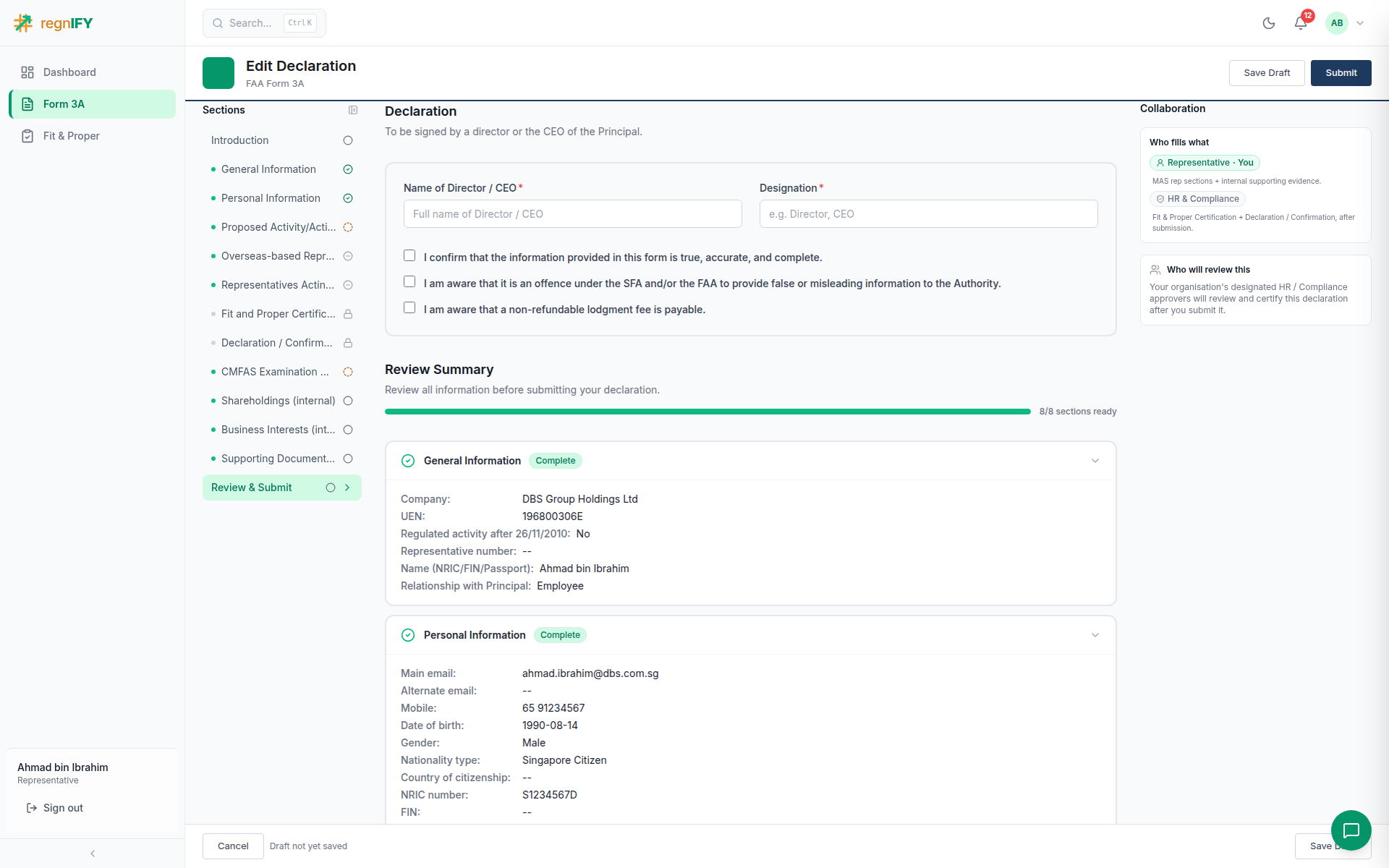 Only the rep-owned sections need to be ready to submit; the approver sections are explicitly deferred to HR / Compliance.
On submit the system builds the approval chain (Supervisor → Manager → CEO → Compliance) and moves the declaration to Pending Review.
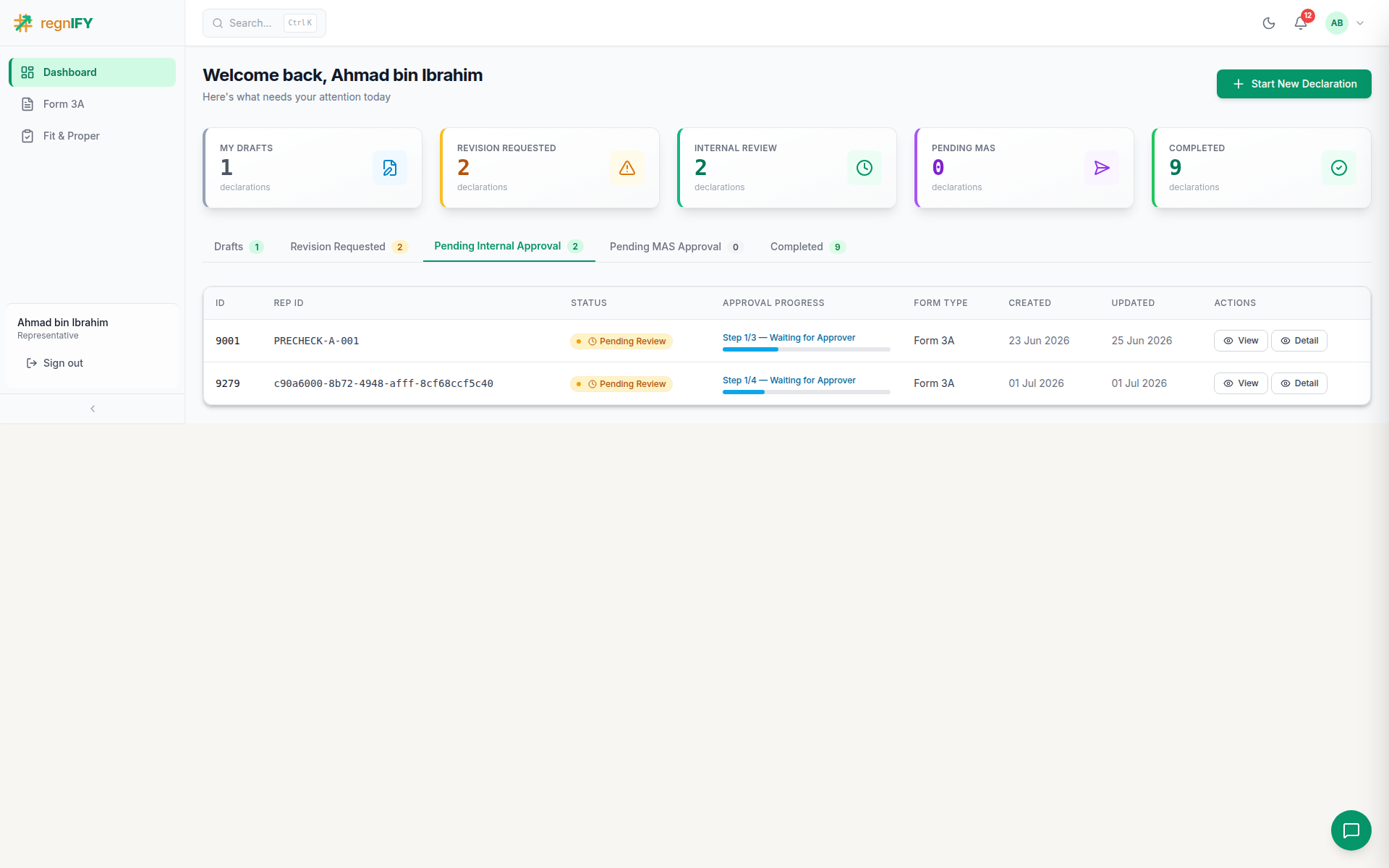 Back on the dashboard the declaration now sits under "Pending Internal Approval" at Step 1 / 4. From here on the form is read-only for the rep until/unless it is sent back.
🤖 The cross-cutting AI assistant — "Reggie". Available on every page, Reggie is a retrieval-augmented chatbot grounded in 200+ MAS notices, regulations and circulars (running on the self-hosted Thor LLM — no paid API). A rep (or any user) can ask "What is SFA dealing?" or "What documents do I need for Form 3A?" and get a cited answer drawn from the MAS knowledge base.
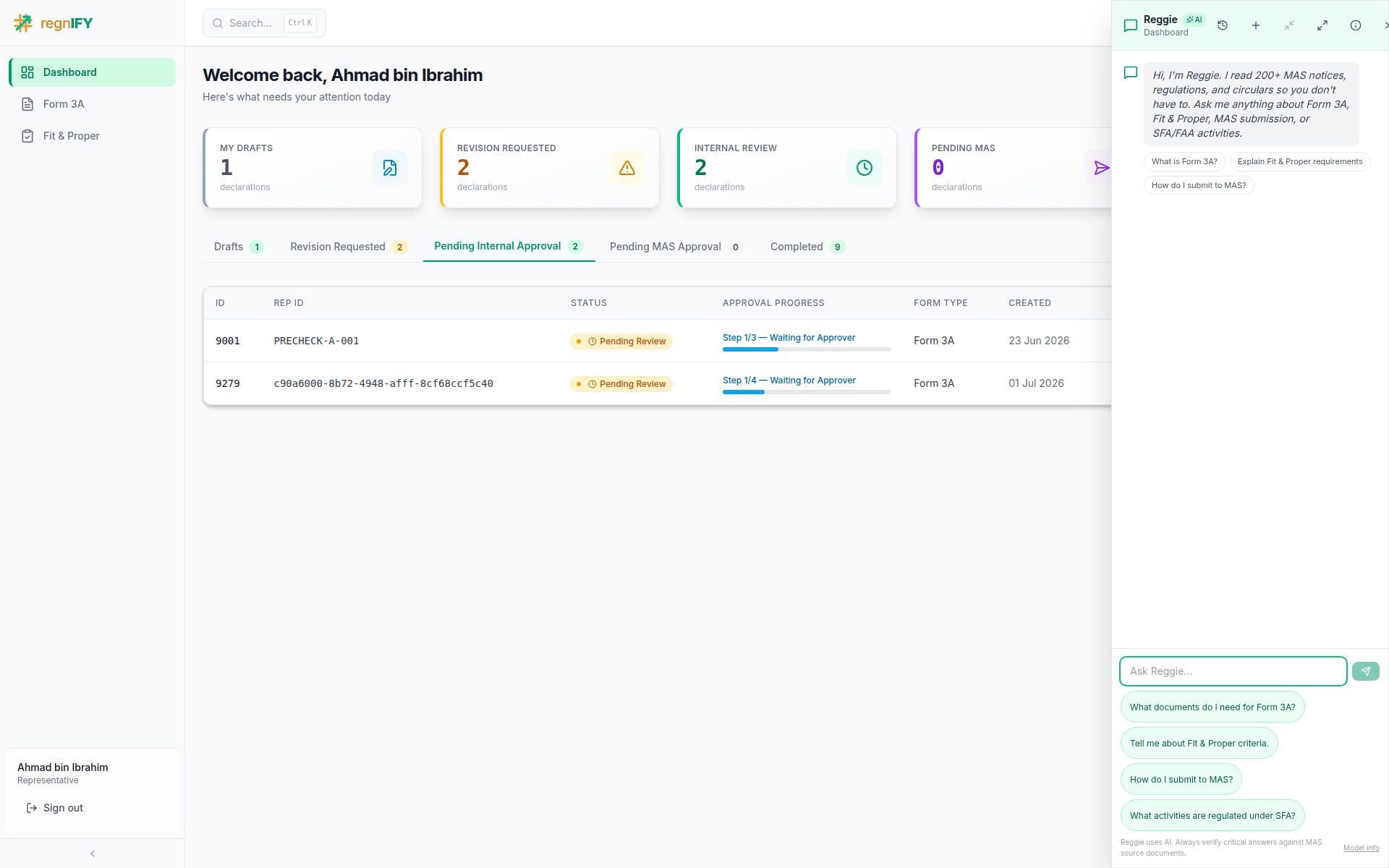 Reggie answers MAS regulatory questions with source citations — and always reminds users to verify critical answers against the source documents.
Part 2 — Reporting line: Supervisor & Manager approve
Submission notifies the first approver. Each approver opens the Workflow Approval page, which shows the four-step approval progress, an AI pre-check, the declaration summary, the running comment trail, and their decision panel (Approve / Request Changes / Reject — a comment is required).
Step 2.1 — Supervisor (Ng Kai Wen)
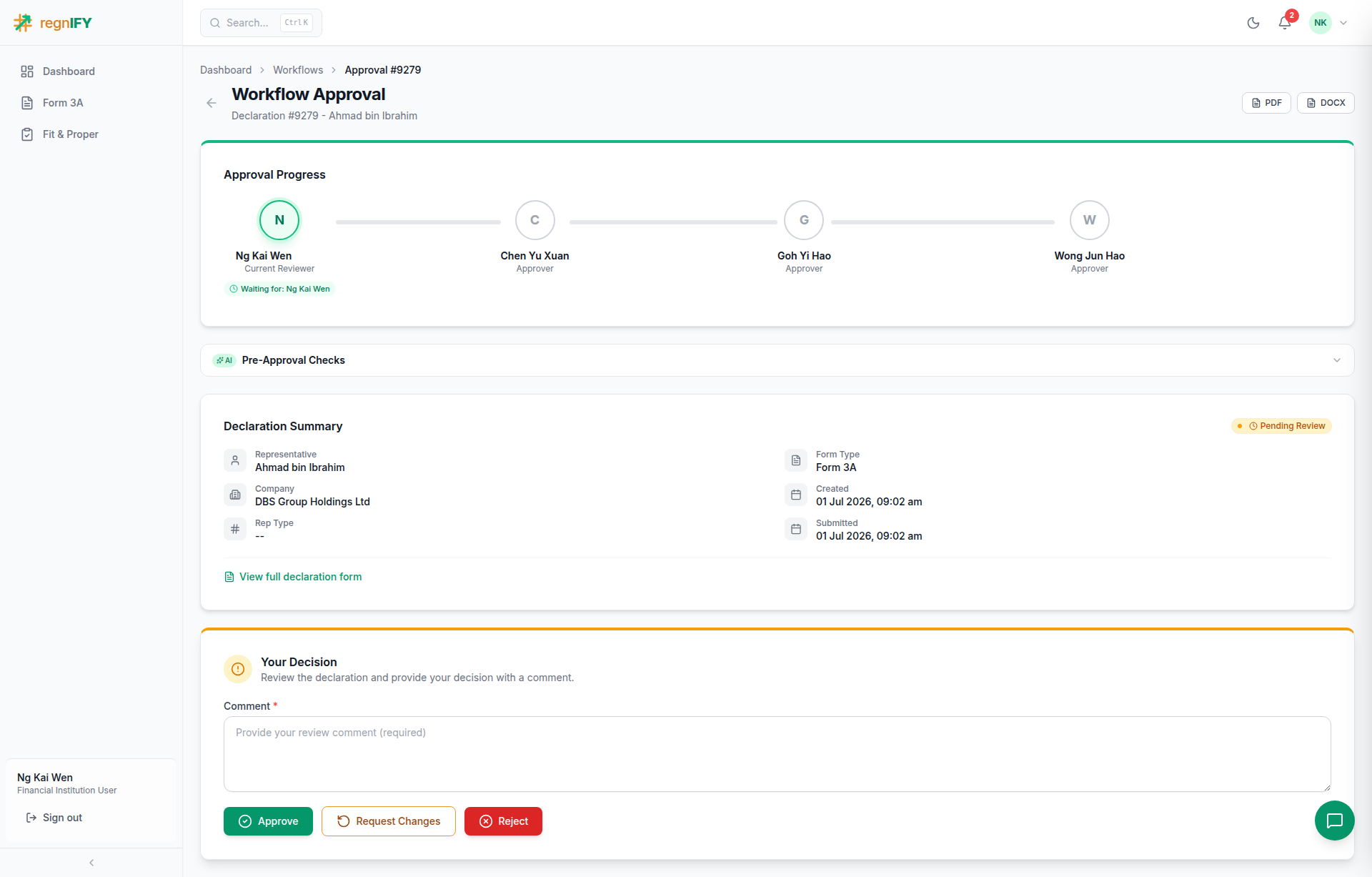 The stepper shows Ng Kai Wen as the current reviewer with the Manager, CEO, and Compliance officer queued behind. The supervisor adds a comment and approves; the declaration advances to the Manager.
Step 2.2 — Manager (Chen Yu Xuan)
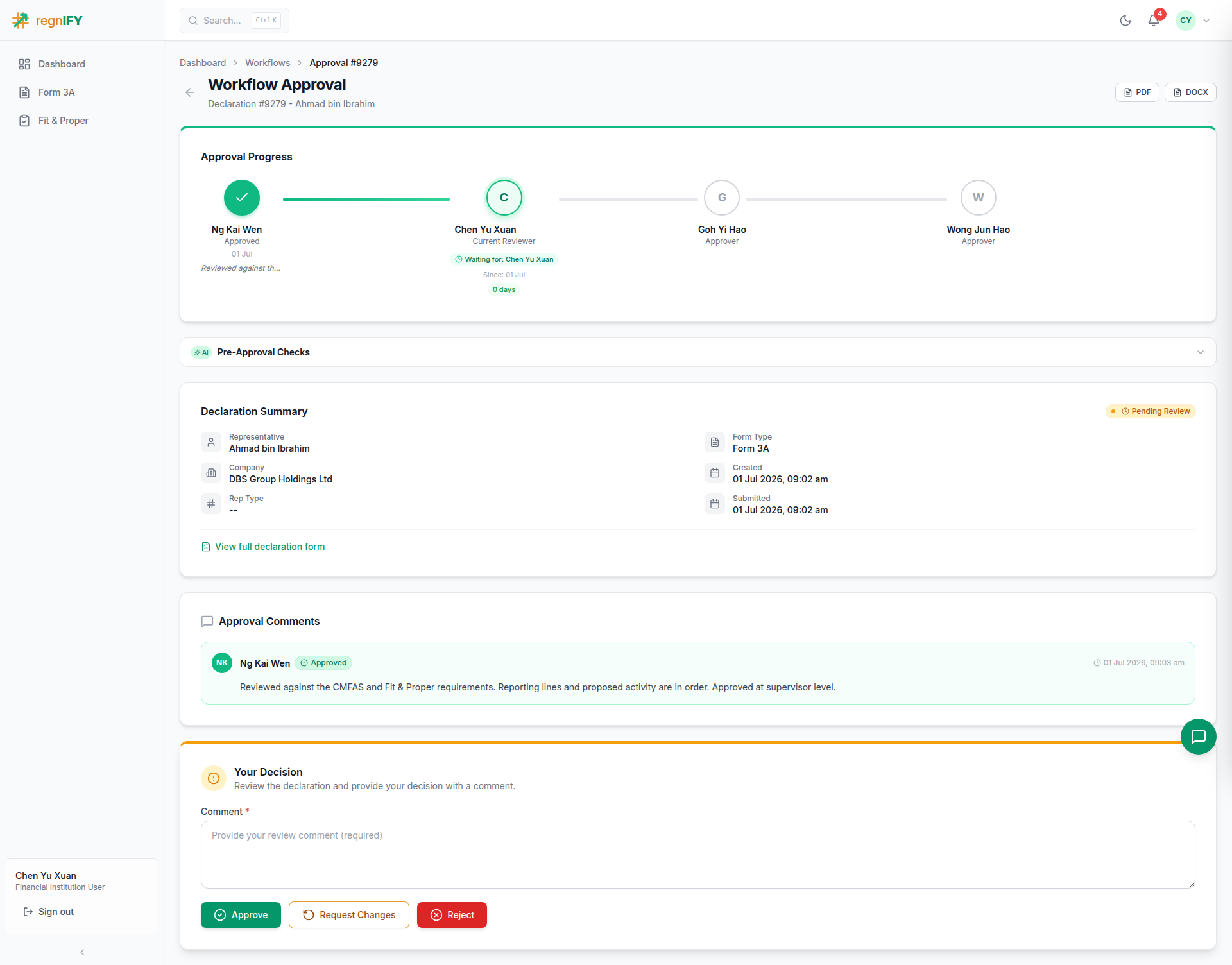 The Manager sees the supervisor's approval already recorded in Approval Comments — a transparent, time-stamped trail. After endorsing, the chain advances to the CEO.
Why two reporting-line approvers? The chain mirrors the firm's own supervisory hierarchy (rep → supervisor → manager) so the people who actually know the individual sign off first.
Part 3 — CEO: senior-management sign-off (before MAS)
The CEO step is a hard gate on MAS submission. Appointing a representative is the Principal's regulatory act (SFA s99D) — so before the notification leaves the firm, the head of the reporting line (the CEO, approval rank 4) gives senior-management sign-off. Because the steps are sequential, Compliance cannot clear the declaration for MAS until the CEO has approved.
Step 3.1 — CEO (Goh Yi Hao)
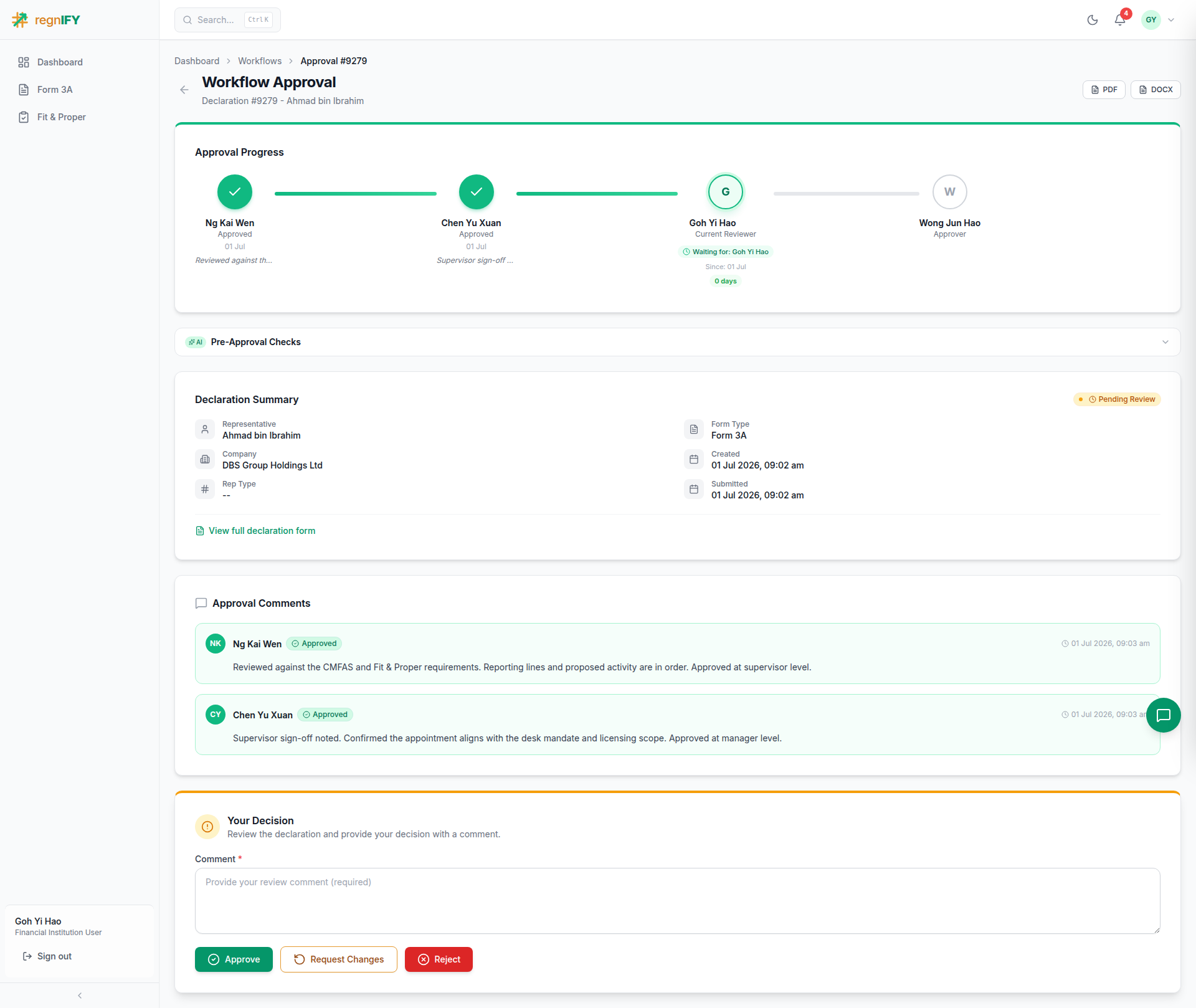 The four-step stepper now shows Ng Kai Wen (Supervisor) ✓ → Chen Yu Xuan (Manager) ✓ → Goh Yi Hao (CEO) — current reviewer → Wong Jun Hao (Compliance) — queued. The full comment trail from the supervisor and manager is visible. The CEO records the organisational sign-off and approves; only now can the declaration reach Compliance for certification and lodgement.
Why a CEO step (and why before Compliance)? It embeds senior-management accountability into the appointment: the individual who is ultimately answerable for the firm's conduct endorses the appointment before it is lodged with the Authority. Placing it before Compliance means the firm's leadership has signed off on the business decision before the regulatory certification and MAS lodgement — no representative can be notified to MAS without it.
Part 4 — Compliance: certify, complete & lodge
The Compliance officer (Wong Jun Hao) is the regulatory gatekeeper and the final approver. They do four things.
Step 4.1 — Complete the Fit & Proper Certification
Compliance opens the declaration in review (approver-edit) mode. The representative's sections are now locked; the Fit & Proper Certification and Declaration / Confirmation sections are editable and badged "HR & Compliance · You".
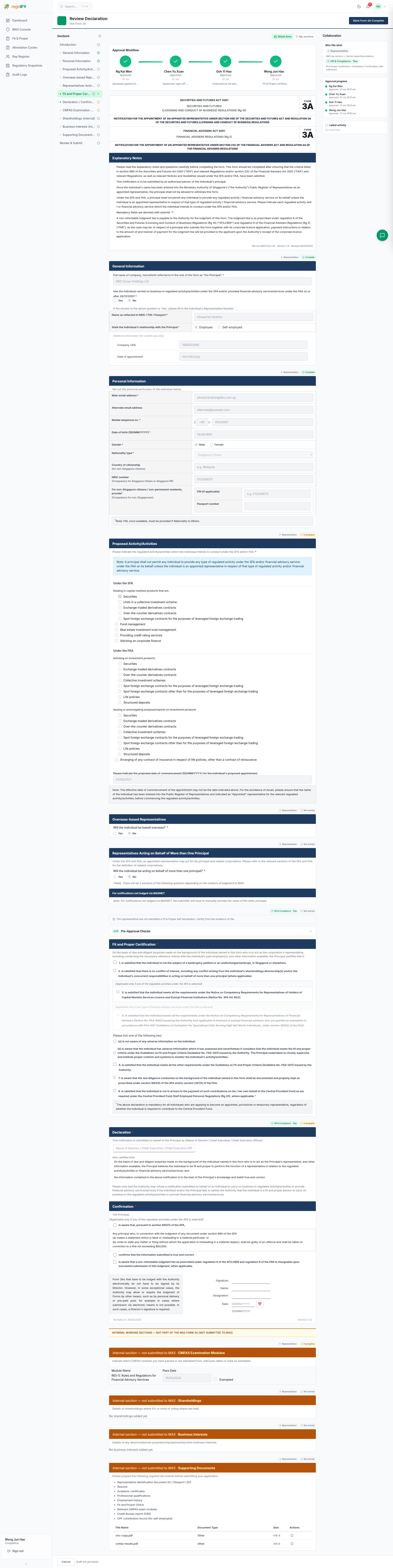 The officer ticks each certification on the Principal's behalf: not bankrupt, no conflict of interest, meets the SFA 04-N22 competency requirements, meets the FSG-G01 fit-and-proper criteria, due diligence documented (s99H(4)), CPF not in arrears, and "not aware of any adverse information". Note the FAA-competency item is correctly greyed out because no FAA activity was selected — the form adapts to the chosen activities. The verbatim Declaration block (signed "on behalf of the Principal by [Director/CEO]") and the "Version 2.4 / Revised 30/05/2025" footer match the official form.
🤖 AI in this step — the Pre-Approval Check. Before certifying, the officer runs an AI pre-screen that checks the declaration for completeness, document sufficiency, certification gaps, employment-history gaps, cross-reference consistency, fit-&-proper red flags, regulatory compatibility, and document↔form consistency. It turns a manual cross-check into a one-click second opinion.
Step 4.2 — Mark the form complete (the hard lock)
Once satisfied, the officer clicks "Mark Form 3A Complete". This validates the certification, transitions the declaration to Form Completed, and locks the entire form server-side — no party can edit it again unless it is sent back. This is the load-bearing control that freezes the certified record before it can be cleared for MAS.
Step 4.3 — Final approval → Cleared for MAS
Returning to the Workflow Approval page, Compliance gives the final approval.
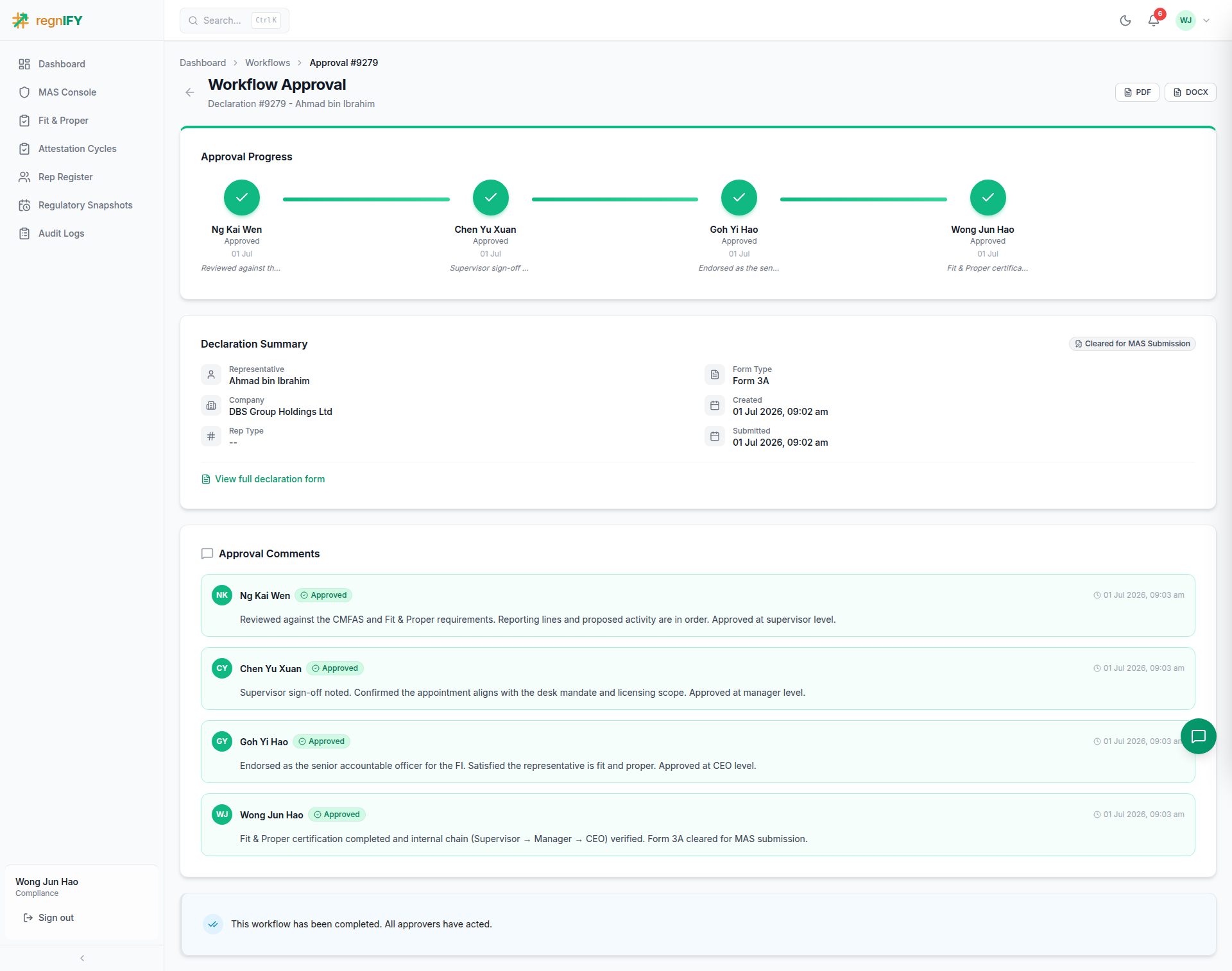 All four approvers' comments — Supervisor, Manager, CEO, Compliance — are now visible. Because the form is "Form Completed", the final Compliance approval transitions the declaration to Cleared for MAS Submission.
Step 4.4 — Lodge with MAS
Compliance opens the MAS Console, where cleared declarations queue for lodgement, and clicks Send to MAS (confirming in the dialog).
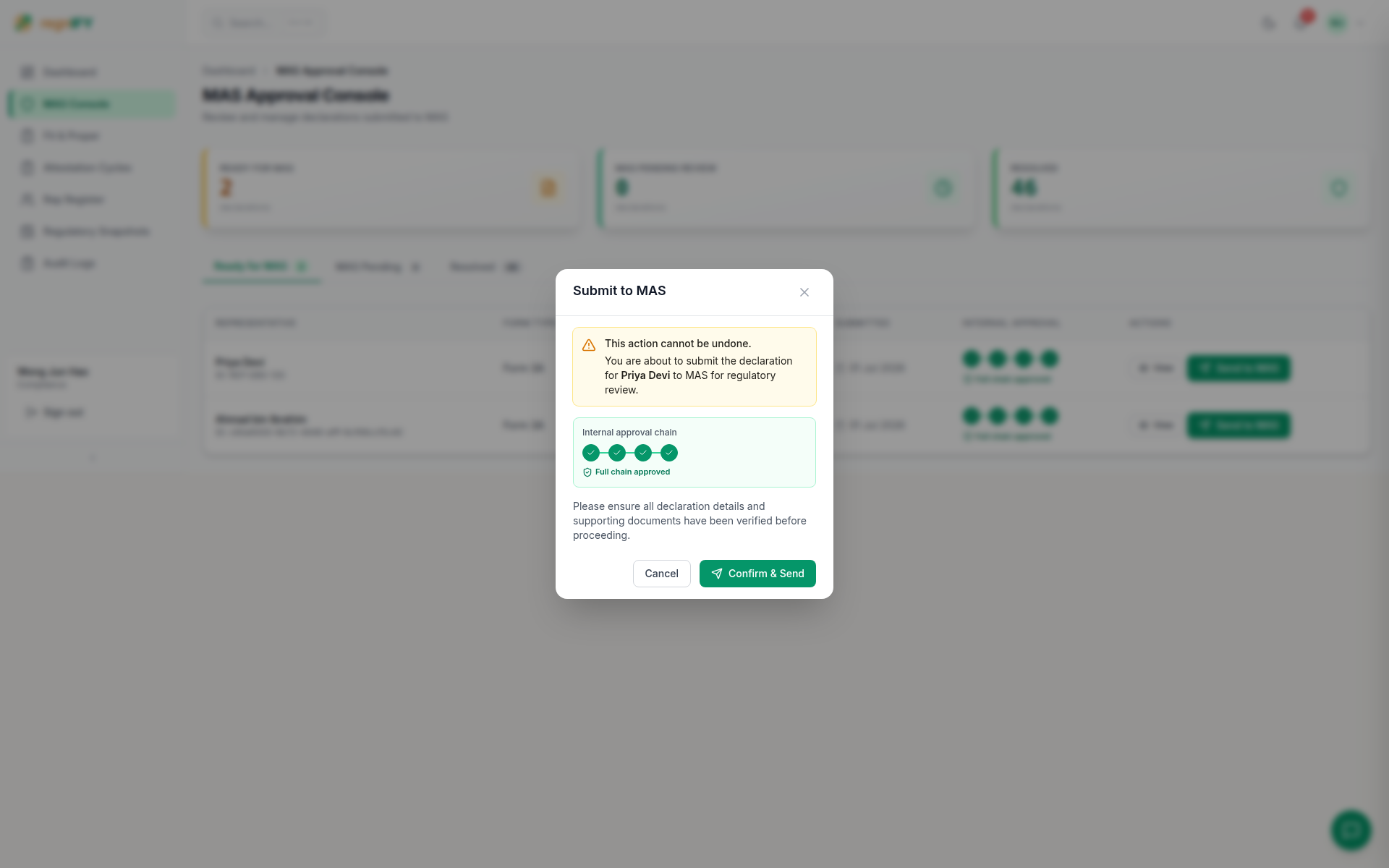 The confirmation surfaces the completed internal approval chain (including CEO) as proof the declaration cleared every internal gate before lodgement. Sending it lodges the notification via CoRe and moves it to Submitted to MAS (MAS Pending Review). A non-refundable lodgment fee applies (reg 6 of the SF(LCB)R / FAR).
Part 5 — MAS: the regulatory decision
The MAS decision happens at the Authority, outside the firm. In the demo the SYS_ADMIN account stands in for the MAS-side reviewer, working the MAS Pending queue in the console. Note that at this level representative PII is redacted — the reviewer sees the declaration by ID, not by name.
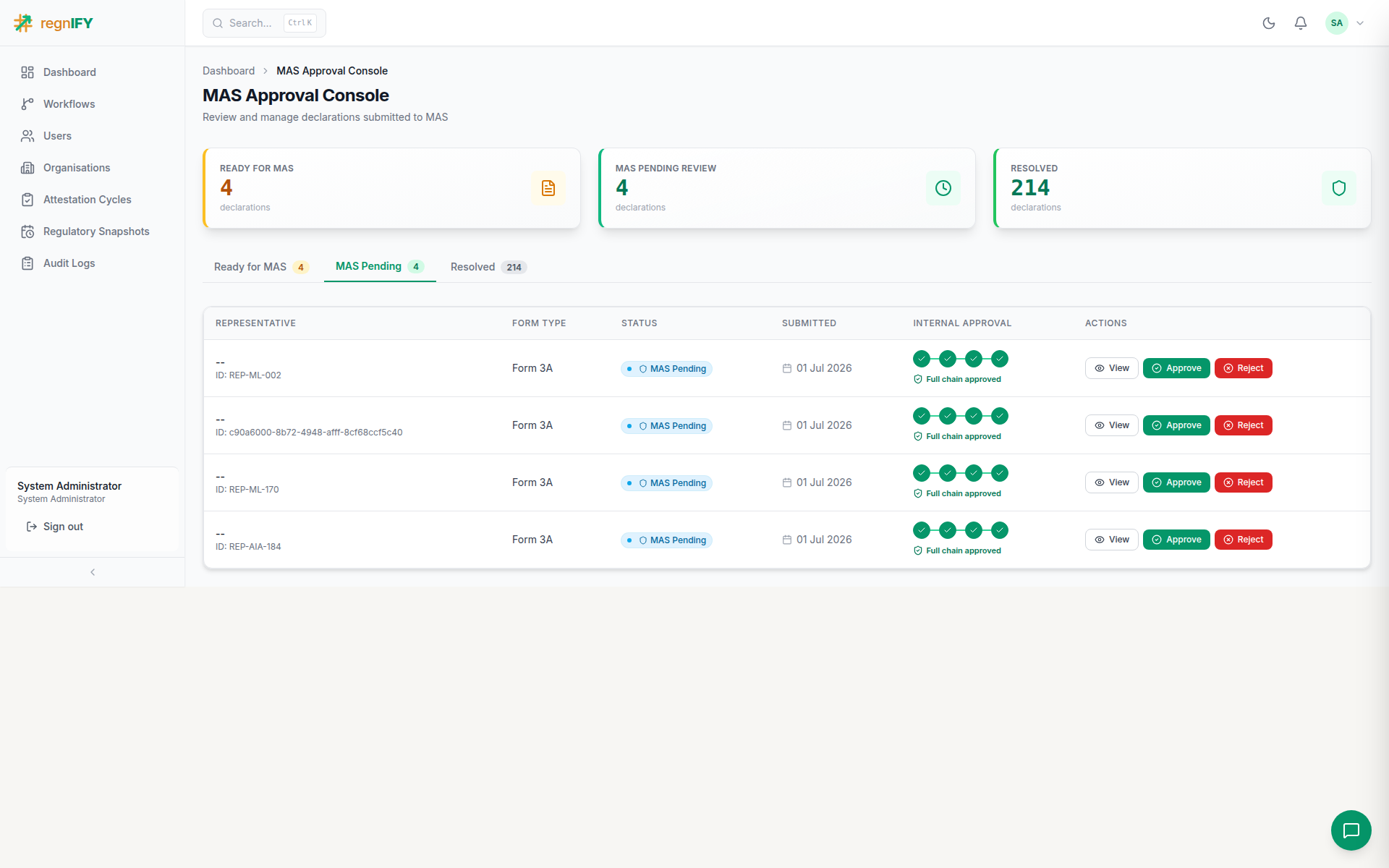 The reviewer opens the pending notification and records Approve (with a comment). The individual's name is then entered into the Public Register of Representatives as an "Appointed" representative.
Part 6 — Back to the representative: appointment confirmed
The declaration is now MAS Approved and the journey is complete.
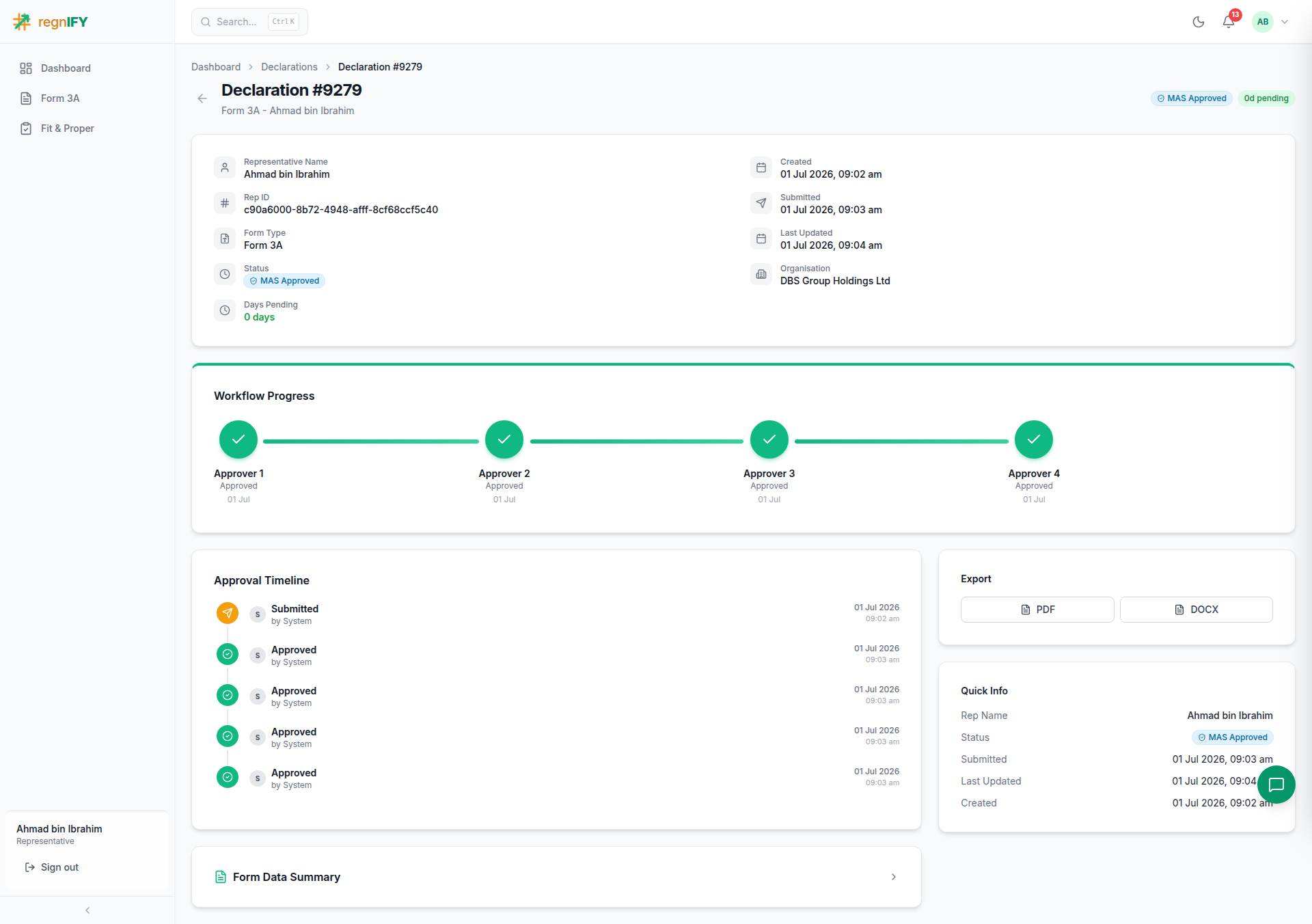 Every step in the approval progress is green — Supervisor, Manager, CEO, Compliance — the MAS Approved badge is shown, and the banner confirms the workflow is complete. The representative may now act in the regulated activity.
Summary
| Stage | Actor | Key action | AI assist | Status after |
|---|---|---|---|---|
| Author | Representative | Fill identity, activities, CMFAS, documents; submit | Singpass pre-fill · suggestions · document extraction · Reggie | Pending Review |
| Endorse | Supervisor | Approve (reporting line) | — | Pending Review (step 1 ✓) |
| Endorse | Manager | Approve (reporting line) | — | Pending Review (step 2 ✓) |
| Sign off | CEO | Senior-management approval (gates MAS) | — | Pending Review (step 3 ✓) |
| Certify | Compliance | Fit & Proper Certification + Mark Complete | Pre-Approval Check | Form Completed |
| Clear | Compliance | Final approval | — | Cleared for MAS |
| Lodge | Compliance | Send to MAS | — | Submitted to MAS |
| Decide | MAS (Authority) | Approve | — | MAS Approved |
Related reference pages: 04 — Form 3A · 05 — Declaration Lifecycle · 06 — Workflow Approvals · 07 — MAS Console · 08 — AI Assistant