18 — Passport Export
Your regulatory passport is a shareable credential summary — a structured view of your Capital Markets and Financial Advisory Services (CMFAS) exam results, Continuing Professional Development (CPD) hours, and current compliance health status that you can share with counterparties, employers, or external parties who need to verify your MAS (Monetary Authority of Singapore) representative status.
To mint a passport, open /rep/passport, review your CMFAS Module Status table (M1A / M5 / M6A / M9 with Passed/Expires dates) and your CPD Hours card (Ethics / Product / Other / Total), then click Generate Token in the Passport Export panel. After confirming the dialog (existing passport links are revoked on rotation), the badge flips to a green ● Active state and two new buttons appear: View Exported Passport (opens the public PDF in a new tab — no login required for the recipient) and Revoke & Regenerate (rotates the token and invalidates the prior link). The PDF is signed with an Ed25519 signature on a JSON manifest of your compliance state at the moment of export, so a counterparty can confirm the document hasn't been tampered with.
What Is the Passport?
The passport aggregates the compliance data held in your Regnify rep profile into a single, readable document:
- Representative information — your name, representative number, and principal organisation
- CMFAS module status table — each module you have sat for, its pass/fail/not-taken status, pass date, and expiry date if applicable
- CPD hours summary — ethics hours, product hours, other hours, and total hours for the current calendar year
- Token status — whether you have an active shareable link, a revoked link, or no link generated yet
The passport is your data. You generate the shareable link, you control who has it, and you can revoke and regenerate it at any time.
Accessing Your Passport
Route: /rep/passport
In the Rep Portal, click My Passport in the top navigation bar.
If you have not yet been assigned a rep profile by your administrator, you will see a message explaining that your representative profile has not been created yet. Contact your administrator or HR to set up your profile.
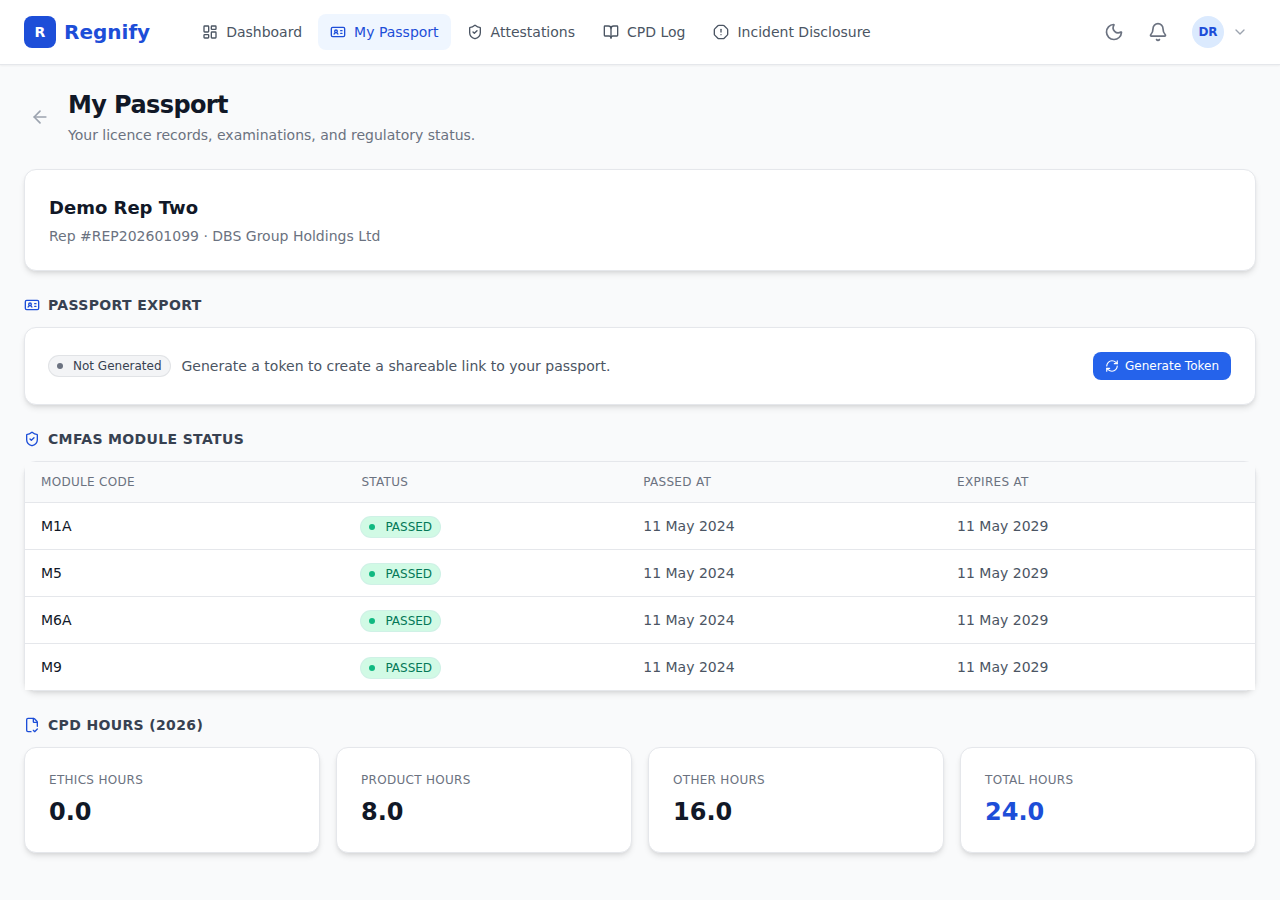 The Passport page for Demo Rep Two (Rep #REP202601099, DBS Group Holdings Ltd). CMFAS modules M1A, M5, M6A, and M9 are all PASSED (passed 11 May 2024, expires 11 May 2029). CPD totals: Ethics 0.0hr / Product 8.0hr / Other 16.0hr / Total 24.0hr. The Passport Export panel shows "Not Generated" — no token has been minted for this rep yet.
Passport Contents
Representative Information
The top card shows your full name, representative number (if assigned), and the name of your principal organisation.
If your rep number is not yet assigned, the card shows "No rep number" — this is an administrative task for your HR or ORG_ADMIN to complete.
CMFAS Module Status
This section lists every CMFAS module recorded against your profile.
 CMFAS module table for Demo Rep Two: modules M1A, M5, M6A, and M9 are all PASSED with a 5-year validity window (passed 11 May 2024, expires 11 May 2029).
| Column | What it shows |
|---|---|
| Module Code | The CMFAS module identifier (e.g., M1A, M5, M6A, M8) |
| Status | PASSED / FAILED / NOT TAKEN / EXPIRED — shown as a coloured badge |
| Passed At | Date the module was passed (or "—" if not passed) |
| Expires At | Expiry date if the module requires periodic renewal (or "—" if perpetual) |
Status badge colours: - Green — PASSED - Red — FAILED or EXPIRED - Grey — NOT TAKEN
If no CMFAS modules are recorded yet, a message indicates that your CMFAS module statuses have not been recorded. Your HR Admin uploads these when they set up your rep profile.
CPD Hours Summary
This section shows your year-to-date CPD totals for the current calendar year. Hours are broken down into four metrics:
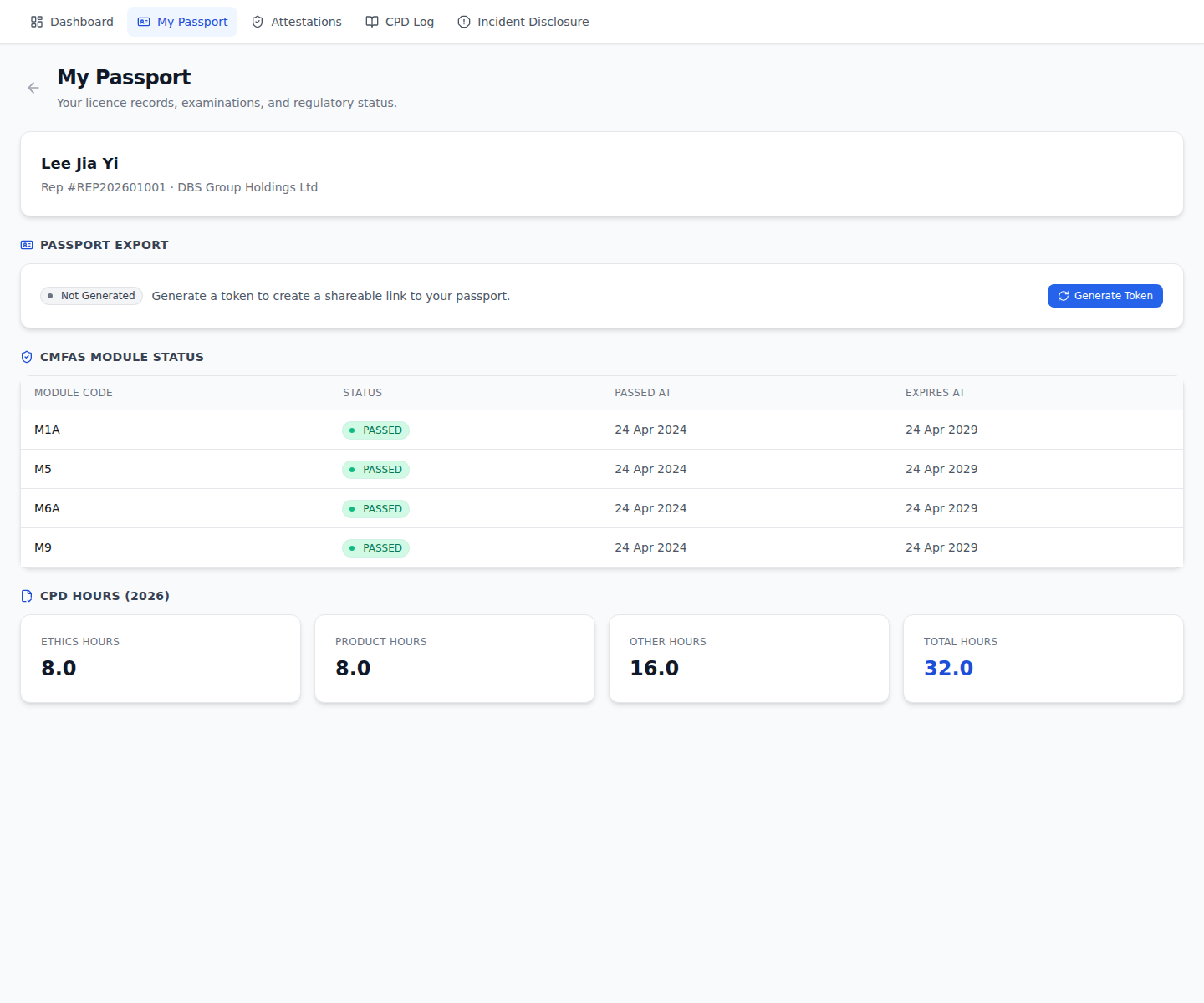 CPD hours summary on the Passport page: Ethics 0.0hr / Product 8.0hr / Other 16.0hr / Total 24.0hr for the current cycle.
| Metric | Description |
|---|---|
| Ethics Hours | Hours in ethics, compliance, and regulation |
| Product Hours | Hours in financial products, services, and markets |
| Other Hours | Professional development hours outside those two categories |
| Total Hours | Sum of all three categories |
All values are shown to one decimal place (e.g., 12.5 hours).
For the full CPD log — including the list of individual course entries and the ability to add new entries — see Section 19.
Generating a Passport Export Token
The passport export token is what makes your passport shareable. When a token is active, anyone with the link can view your passport at a public URL — no Regnify login required.
The token is a UUIDv4 value (122 bits of entropy). It is minted server-side when you click Generate Token and stored on your RepProfile record. Because the token is in the URL path rather than a query string, it cannot be guessed or brute-forced in any practical sense.
To generate your first token:
- In the Passport Export section, click Generate Token.
- A confirmation prompt warns you that this will create a shareable link.
- After confirming, the token is minted and your status badge changes to Active (shown in green).
To view the exported passport:
Click View Exported Passport. This opens your public passport page at /api/export/passport/{token} in a new tab. This is the same URL a third party would see.
Token status labels:
| Status | Badge colour | Meaning |
|---|---|---|
| Not Generated | Grey | No token has been created yet |
| Active | Green | A valid shareable link exists |
| Revoked | Red | The token was invalidated; generate a new one |
Sharing the Passport URL
Once you have an active token, you can share the export URL with:
- A counterparty who needs to confirm your MAS representative status before engaging in a regulated transaction
- A prospective employer conducting due diligence
- An auditor requiring evidence of CMFAS qualifications
- Any external party who needs to verify your credentials without accessing the Regnify platform
The shared URL is public — no login, no Regnify account needed. The recipient can bookmark it and check it again in the future as long as the token remains active.
What the shared passport shows: only fields marked as publicly shareable in your rep profile are included. This typically covers: licensed activities, CMFAS exam passes, most recent Form 3A approval date, and principal FI name. It does NOT include your NRIC, date of birth, residential address, or any PII beyond your professional name.
Revoking and Regenerating a Token
To invalidate the current link — for example, if you shared it with a party who no longer needs access — click Revoke & Regenerate.
A confirmation dialog warns:
"This will invalidate the current passport link. Anyone with the old link will no longer be able to view your passport. Continue?"
After confirming: - The old token is invalidated immediately. Anyone who bookmarked the old URL will see a "not found" response. - A new token is generated and your badge changes back to Active (green).
You receive a success toast: "Passport token regenerated successfully."
You can revoke and regenerate as many times as you need. There is no limit.
Using the AI for Passport Export
Ask the AI assistant in the Rep Portal:
"Generate my passport"
or
"I need to share my regulatory credentials with a counterparty — create a shareable link."
The AI will call the generate_passport tool, which mints or rotates your passport export token via the NestJS mutation and returns the share URL and verify URL. It will present these as:
Share link: https://regnify.regnify.dev/api/export/passport/{token}
Counterparty verification URL: https://regnify.regnify.dev/verify/passport/{token}
The AI will also remind you that the link can be revoked at any time by asking again, and that the shared passport exposes only professional credential fields — never PII.
Note: The AI will never echo the raw token value in conversational text beyond the two URL forms. Treat the token as you would a password.
Third-Party Verification
When you share your passport URL, the recipient accesses a public endpoint at https://regnify.regnify.dev/api/export/passport/{token}. No Regnify account is required. The endpoint returns your current CMFAS status and CPD data in a structured, readable format.
For a self-service cryptographic check, a recipient can instead (or additionally) open https://regnify.regnify.dev/verify/passport/{token} — the public verification page. This is the same URL returned as the AI's "verify URL" and the same URL encoded in the QR code printed on the exported PDF. The page re-composes your current compliance data server-side, re-derives the Ed25519 signature, and confirms it matches, then displays a plain valid/invalid result alongside your name, representative number, principal organisation, CMFAS module status, and CPD compliance summary — no manual signature-checking required.
This is consistent with the public representative register model under SFA Section 99P, which establishes the Financial Institutions Representative Register (FIRR) at the MAS eServices portal. The Regnify passport provides a more detailed, real-time credential view than the public FIRR, but complements rather than replaces the MAS public register.
Current Implementation Status
Passport export is fully implemented. When you click Generate Token or ask the AI to "Generate my passport", a UUIDv4 token is minted on your RepProfile record and the public endpoint at https://regnify.regnify.dev/api/export/passport/{token} is accessible immediately.
Signed PDF Export: The exported passport PDF is signed with an Ed25519 signature over a JSON manifest of your compliance state at the moment of export. A counterparty who receives the PDF can verify the Ed25519 signature against Regnify's published public key to confirm that the document has not been altered since it was generated. The signing key pair is server-held and rotated per the platform's key management policy.
Public verification page: https://regnify.regnify.dev/verify/passport/{token} is live and performs the Ed25519 signature check described above automatically — a recipient does not need to manually verify the signature themselves.